.png)

When you are a business owner working by yourself you have to have the best systems to plan your business. If you don't have a good system, you forget to do things and miss deadlines and you feel lost. Having a plan will help you know what to do first. Collects your client work, marketing activities and bills in one place.
Many solopreneurs make an attempt to maintain all of the details in their minds. That does not work. You brain is not for todo lists. The best planning systems for solopreneurs save you time and stress.
What Is a Planning System for a Solopreneur?
A planning system is a method to write down what you must do. It also helps you pick what to do first. Many solopreneurs use a digital tool. Some use a paper notebook. The best planning system is the one you use every day.
A good planning system does three things. First, it holds all your tasks. Second, it shows your deadlines. Third, it reminds you before you forget.
Without a planning system, you jump from one fire to another. With a planning system, you stay calm and finish work on time.
Read More: Complete Travel Planning Checklist for Family Holidays
Why Solopreneurs Need a Separate Planning System?
A normal to-do list fails for solopreneurs. You have client work, marketing, learning, and bills. A single list becomes a messy pile. You cannot see what is urgent.
A proper planning system separates your work into clear boxes. For example, client projects stay in one box. Business growth tasks stay in another box. Personal errands stay separate.
This separation stops you from mixing a client call with buying office supplies. When you separate, you focus better.
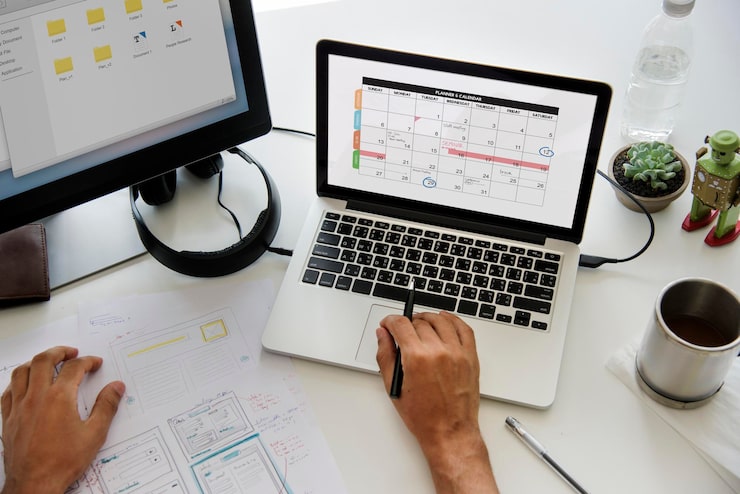
The Five Best Planning Systems for Solopreneurs
After testing many tools, here are the five best planning systems for solopreneurs. Each system works for a different type of work style.
1. The Weekly Paper Planner
A paper planner is a notebook with dates printed inside. You write your tasks by hand. This system works well if you feel tired looking at screens.
Hand writing a task makes your brain remember it better. Also, you cannot get distracted by social media inside a paper planner.
How to use it: Every Sunday, write down your top three big tasks for each day. Keep the paper planner open on your desk. Cross out tasks when done.
Best for: Solopreneurs who do creative work like writing, drawing, or designing.
2. The Digital Task Board
A digital task board shows your work as cards on a screen. You move cards from "to do" to "doing" to "done". This system gives you a clear picture of progress.
Most digital task boards let you add due dates and notes to each card. You can also attach files. The best part is you can see everything without scrolling much.
How to use it: Make four columns. Name them "backlog", "this week", "today", and "done". Put every small task on a separate card. Move one card to "today" column each morning.
Best for: Solopreneurs who handle many small projects at the same time.
3. The Time Block System
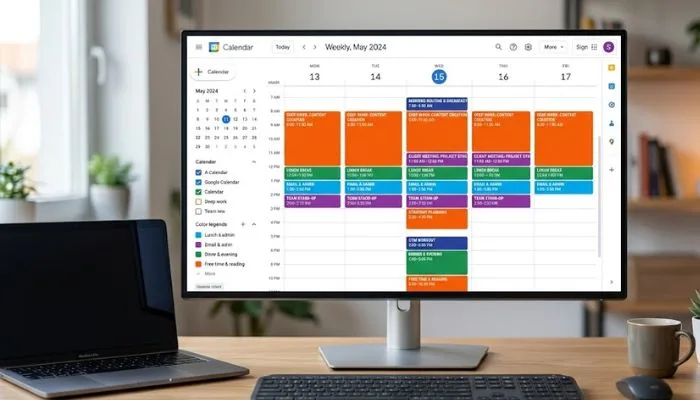
Time blocking means you assign each task to a fixed time slot on your calendar. For example, 9 AM to 10 AM is for writing emails. 10 AM to 12 PM is for client work.
This system stops task switching. Task switching is when you jump between different types of work. Each jump wastes your focus. Time blocking keeps you on one thing for a set period.
How to use it: Open your digital calendar. For each hour, write what you will do. Leave one hour empty for unexpected calls or breaks. Follow the calendar like a train schedule.
Best for: Solopreneurs who have back to back client calls or delivery deadlines.
4. The Big Rock System
The big rock system asks you to find the most important task of the day. That is the big rock. You finish that task before doing anything else.
Small tasks are pebbles. Emails are sand. If you fill your day with sand and pebbles first, the big rock does not fit. But if you place the big rock first, everything else fits around it.
How to use it: Each morning, pick one task that moves your business forward. Do not check email. Do not open social media. Finish the big rock first. Then do smaller tasks.
Best for: Solopreneurs who feel busy all day but never finish important work.
5. The Project Based System
In this system, you group all tasks by project. A project is any work that takes more than one step. For example, "launch email newsletter" is a project. It has steps like write content, design template, send test email.
Each project gets its own page or folder. Inside that page, you list every small step. You mark steps as pending, in progress, or done.
How to use it: Make a list of all your active projects. Open one project at a time. Do not jump to another project until current project is fully done.
Best for: Solopreneurs who deliver services like website building, consulting, or course creation.
Solopreneur Tools That Work With These Systems
A planning system needs a tool. The tool can be simple or advanced. Here are solopreneur tools that fit each system above.
Tools for Paper Planner System
- A hardbound weekly planner with one page per day
- Colored pens for different task types (blue for client, red for urgent)
- Sticky notes for temporary reminders
No app is needed. Your phone stays away.
Tools for Digital Task Board System
- Trello (free version works)
- Notion (needs some setup time)
- ClickUp (more features but steeper learning)
Pick the simplest one. Do not overcomplicate.
Tools for Time Block System
- Google Calendar (free and works on every device)
- Outlook Calendar (good if you use Microsoft)
- Clockwise (helps find focus blocks automatically)
Color code your blocks. Blue for client work. Green for your own business work. Yellow for breaks.
Tools for Big Rock System
- Any notebook or sticky note
- A simple app called "Things" (for Apple users)
- A whiteboard on your wall
The tool does not matter. What matters is picking one big rock each day.
Tools for Project Based System
- Asana (free for one person)
- Basecamp (flat fee per project)
- A set of physical folders and a filing cabinet
For digital projects, Asana is easy to start. For physical products, paper folders work fine.
Top 10 Best Tools for Solopreneurs
Here is the top 10 best tools for solopreneurs. These are not just planning tools. They cover your whole business. You can use them with any planning system.
- Trello – Best digital task board for one person. Free plan gives you unlimited cards.
- Google Calendar – Best time blocking tool. Works on phone, laptop, and tablet.
- Notion – Best all in one workspace. You can make databases, notes, and task lists.
- Todoist – Best simple to-do list with reminders. Clean and fast.
- Sunset – Best for daily planning. It asks you to set one intention each morning.
- Paper Planner from Panda Planner – Best paper option. It has sections for goals, tasks, and notes.
- Clockify – Best time tracker. You see where your hours actually go.
- Zapier – Best automation tool. It connects your planning tool to your email and billing.
- Loom – Best for recording quick video tasks. You can explain work without writing long emails.
- Wave – Best free billing tool for solopreneurs. Send invoices and track payments.
Each tool on this top 10 best tools for solopreneurs list is free to start. Only upgrade when you truly need more features.
How to Pick the Right Planning System for You?
Do not copy what another solopreneur uses. What works for them may fail for you. Ask yourself three questions.
First question: Do you remember tasks better when you write by hand? If yes, pick a paper planner system. If no, pick a digital system.
Second question: Do you have the same type of tasks every week? If yes, pick time blocking. If no, pick digital task board.
Third question: Do you feel tired looking at a screen at night? If yes, pick paper system for evening planning. Keep digital for morning work.
Test one system for seven days straight. Do not switch in the middle. After seven days, ask if you finished more work. If yes, keep it. If no, try a different system.
Common Mistakes Solopreneurs Make With Planning
- Mistake one: Putting every small task in the plan. You do not need to write "brush teeth" or "make coffee". Only write work tasks that take more than five minutes.
- Mistake two: Changing system every week. Each time you change, you waste hours moving data. Stick to one system for at least one month.
- Mistake three: Planning for eight hours but only having five hours of free time. Always keep two hours empty for surprises. A client emergency or a sick kid will happen. Plan for it.
- Mistake four: Not reviewing your plan. Every evening, look at what you did. Move undone tasks to tomorrow. If a task stays undone for more than three days, ask if it really matters.
Daily Routine Using a Planning System

Here is a simple daily routine for solopreneurs.
Morning (10 minutes): Open your planning system. Pick the big rock for today. Write it at the top. Then look at your calendar blocks. Adjust if needed.
Work time (follow your plan): Do not check email first. Do the big rock. Then do time blocked tasks. Take a five minute break every hour.
Afternoon check (5 minutes): Look at your plan. Are you behind? Move less important tasks to tomorrow. Do not feel bad. This is normal.
Evening review (5 minutes): Cross off done tasks. Write down three tasks for tomorrow. Close your planning system. Stop thinking about work.
This routine takes 20 minutes total. It saves you two hours of confusion every day.
Final Words
The best planning systems for solopreneurs share one thing. They are simple enough to use every day. You do not need a fancy tool. You do not need to learn complex methods.
Pick one system from this article. Use it for one week. If it helps you finish work with less stress, keep it. If not, try a different one.
Remember this truth: A bad plan followed daily is better than a perfect plan never opened.
FAQs
Can I use two planning systems together?
Yes. Many solopreneurs use a paper planner for big picture weekly goals and a digital tool for daily tasks. Just make sure both systems point to the same priorities.
What is the best free solopreneur tool for planning?
Trello and Google Calendar both have strong free versions. Start with Google Calendar because you already have a Gmail account. Add Trello when you need task boards.
How do I stop feeling bad when I do not finish my plan
Lower your daily task count. Plan only three to five tasks per day. If you finish early, add one more. Do not plan ten tasks and feel bad about finishing six.
Should I plan my personal life in the same system
Yes and no. Keep personal appointments like doctor visits in your calendar. But keep personal tasks like "buy milk" separate. Use a different color or a different board for personal items.
What if my planning system takes more time than doing work
Then your system is too heavy. Delete unnecessary columns, labels, and fields. A good planning system should feel light, not heavy.